Cosmos Corp: an RPG for learning DevOps by actually doing the job
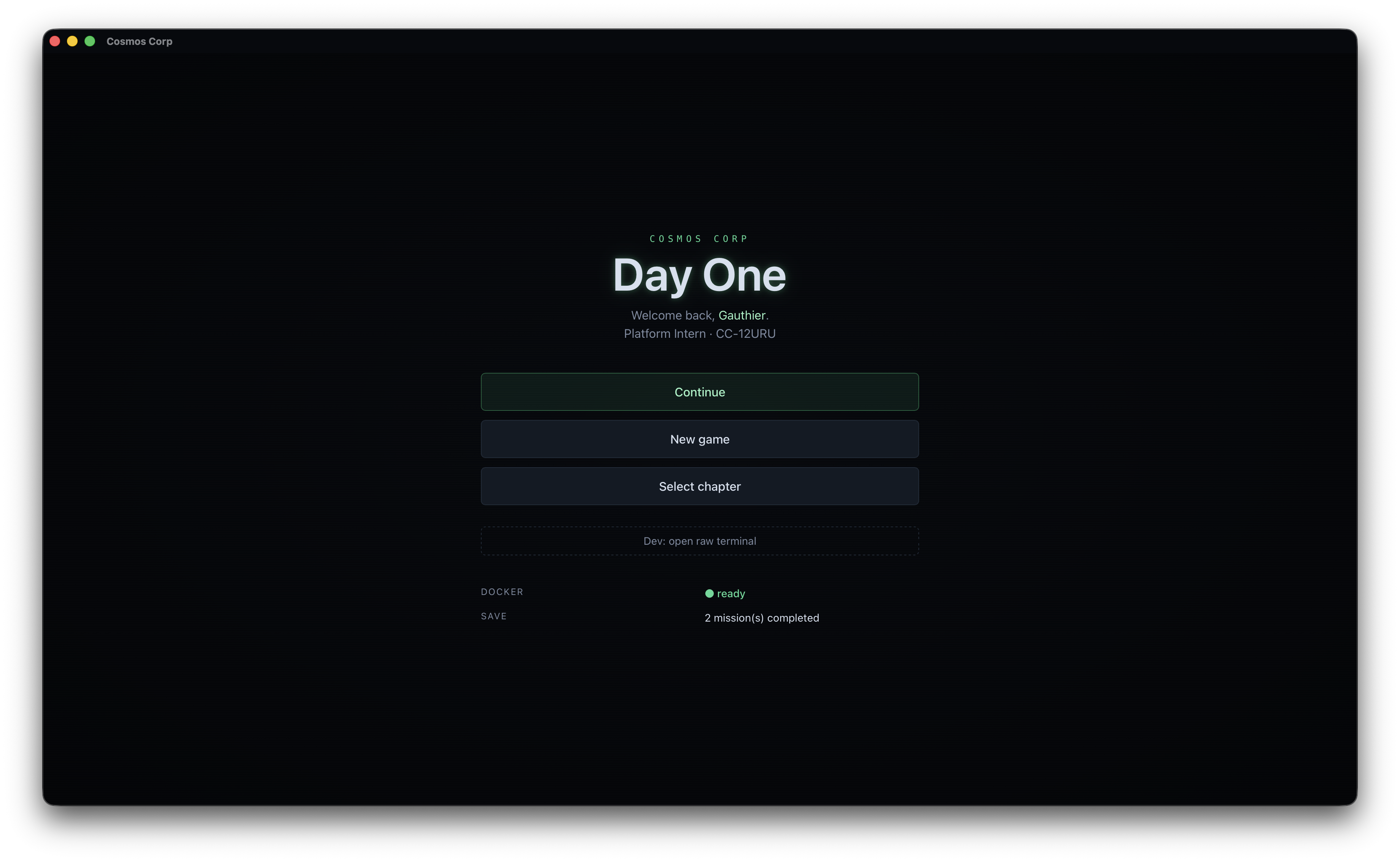
I’ve walked through plenty of DevOps tutorials. The format is almost always the same: a demo, a few commands to copy, and a few days later nothing is left. Not because the subject is too hard, but because a terminal, a git repo or a cluster is something you learn by driving it, not by reading an article about it.
So I flipped it. I built a small desktop RPG, Cosmos Corp: Day One, that drops you into your first day as an engineer. No fake shell, no multiple choice. You get a goal, a real terminal wired to a real container, and a mentor who hands you the mental model before turning you loose. The objective only goes green once the work is genuinely done.
The bet: a real sandbox, not a simulation
The premise is simple. It’s your first week at Cosmos Corp. Sage, a bearded SRE who has seen his share of incidents, pings you on Slack: “All yours. Don’t worry about breaking things, that’s what the sandbox is for.” From there, you work.
The game is split into four chapters that follow the real arc of an engineer starting out:
- The terminal: navigation, files, pipes, search, processes, permissions, environment.
- The codebase: commit, branch, merge, rebase, conflict resolution, remotes.
- The cluster: pods, deployments, services, config, debugging on Kubernetes.
- The GitOps loop: FluxCD, reconciliation, drift correction, the push-to-deploy loop.
Twenty-eight missions in all, from your first cd to the commit that redeploys a cluster on its own. And at every step, the same rule: bash, git, kubectl and flux are the real tools, not stand-ins.
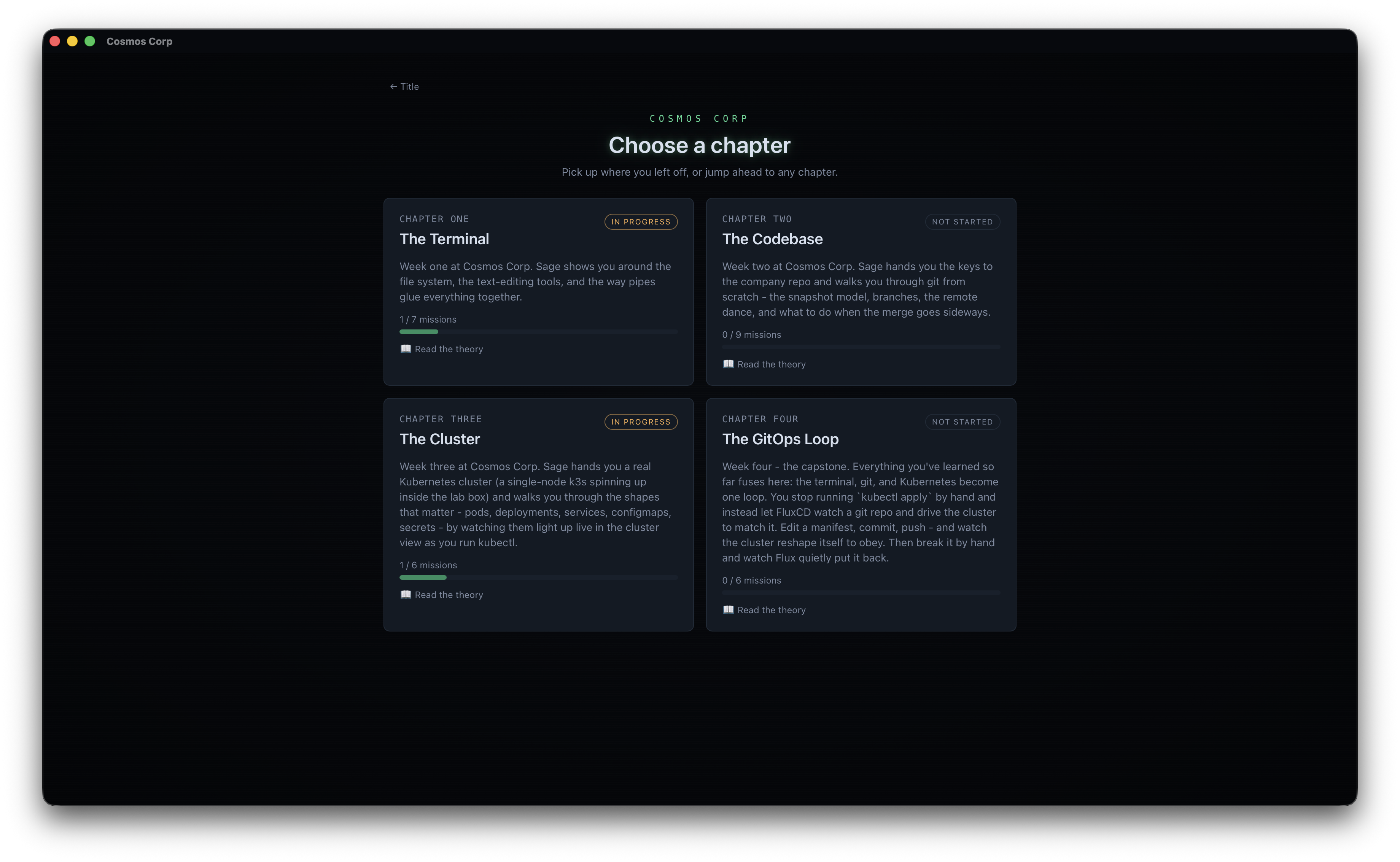 Four chapters, from the terminal to GitOps. Each one keeps your progress and opens its own theory course.
Under the hood: real, cluster included
This is where the project gets interesting to talk about. Each chapter spins up its own Docker container. For the terminal and git, one container is enough. For the Kubernetes and Flux chapters you need a real cluster, so the game boots a single-node k3s inside a privileged container, with k3s as PID 1. It’s a genuine control plane, not a mock: you type kubectl describe, you get real Events written by the kubelet.
One detail that matters for credibility: the cluster runs as root because k3s needs to mount cgroups and manage iptables, but your player shell is attached as an unprivileged user via docker exec -u dev. In other words, the muscle memory you build matches a real box, not a permissive root account.
On the app side, the shell is Tauri 2: a Rust backend that manages the Docker lifecycle and a PTY bridge, and a React 19 frontend. The terminal you see is xterm.js wired to the container’s real PTY. And for the last two chapters, a cluster view built in React Flow polls state every two seconds and redraws your pods live. When you fix a broken deployment, you watch the pod go red, then amber, then green. It’s the reconciliation loop made visible, and it’s surprisingly satisfying.
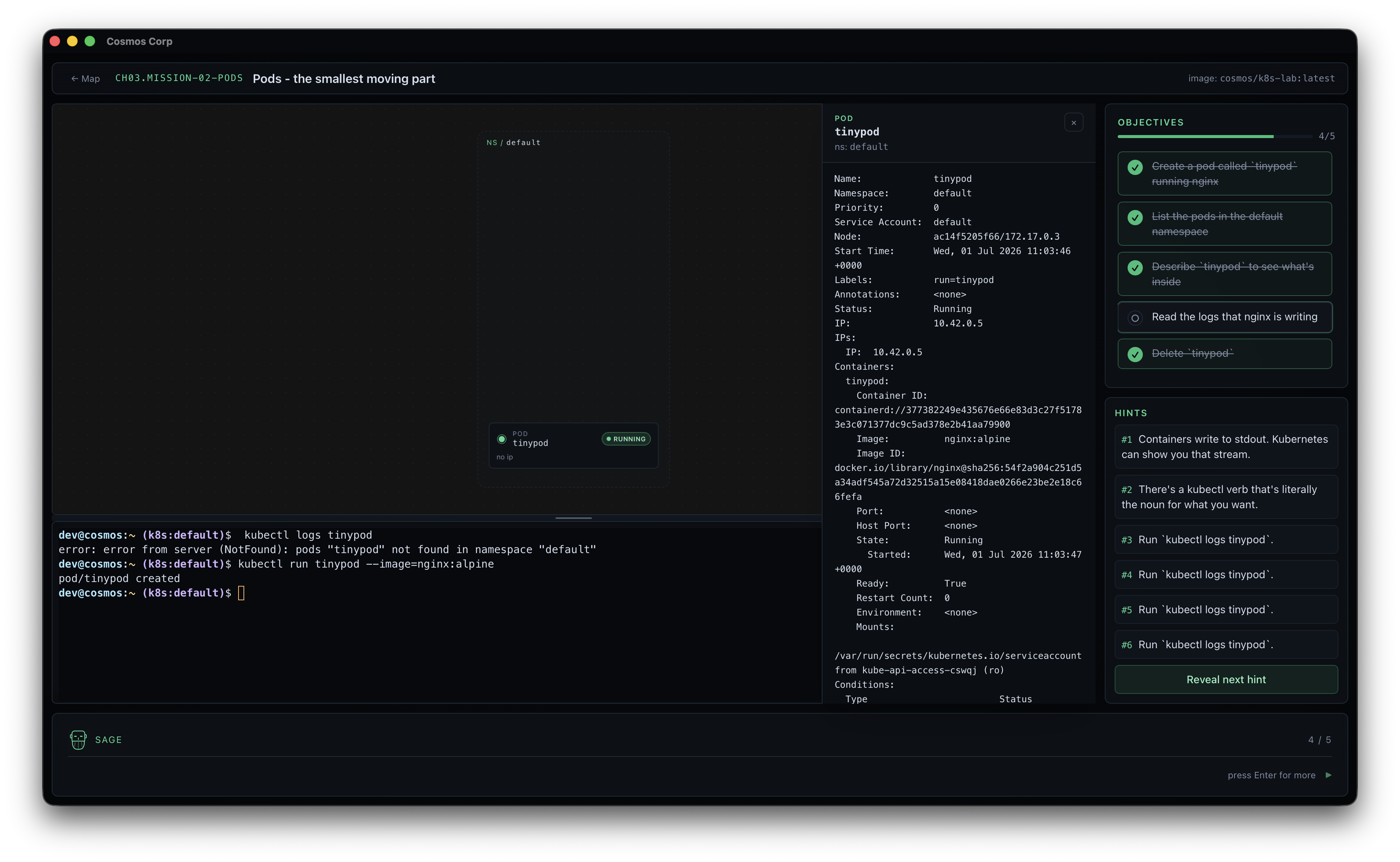 A k8s mission in progress: the real terminal at the bottom, the cluster view on the left tracking pods live, objectives and hints on the right.
The validator you can’t fool
The teaching core is the validator. An objective doesn’t get checked because you clicked “next,” it gets checked because a script confirmed you did the work. And it verifies in two different ways, chosen on purpose based on the nature of the task.
For read-only commands, the script reads the bash history. Take debugging a pod: kubectl describe and kubectl logs change nothing about the state of the world, so validating them against cluster state would be meaningless. What matters is that you had the reflex to reach for them. So the validator greps your history and accepts every reasonable variant of the command.
For outcomes, it queries real state. In the crashloop mission, setup deliberately applies a Deployment with an image that doesn’t exist (nginx:cosmos-broken-do-not-exist), which triggers a genuine ImagePullBackOff. The “fix the image” objective only turns green once a pod with the right label is actually Running and its container reports ready=true, checked with jsonpath. There is no pasting your way out. Either the cluster is fixed or it isn’t.
The validator runs every two seconds, so an objective lights up roughly the moment you succeed. That immediate feedback, backed by real state, is what makes it stick.
Sage, or why I wrote a character spec before the first line
A mentor who hands you the answer kills the learning. A mentor who lets you flail does too. Sage walks that line because I specified him before writing any dialogue.
There’s a character bible in the repo. It fixes how he teaches: the mental model first (“git is just a tool that takes snapshots”), then a hint if you’re stuck, then the answer, because that’s how you actually learn on the job. It also fixes who he is: he owns his own mistakes (“somebody, definitely not me, deployed a broken thing into your namespace”), he never talks down to the player, and he stays physically present in the scene instead of being a disembodied voice.
Writing that bible before the code is the same move as drafting a build spec for an agent: you constrain the voice up front so everything downstream is coherent, instead of chasing the tone line by line. And there’s a wink I couldn’t pass up: Sage’s writing charter bans the em dash and mandates the spaced hyphen. That’s my own rule, promoted to a character’s canon. It’s also why this article doesn’t contain a single one.
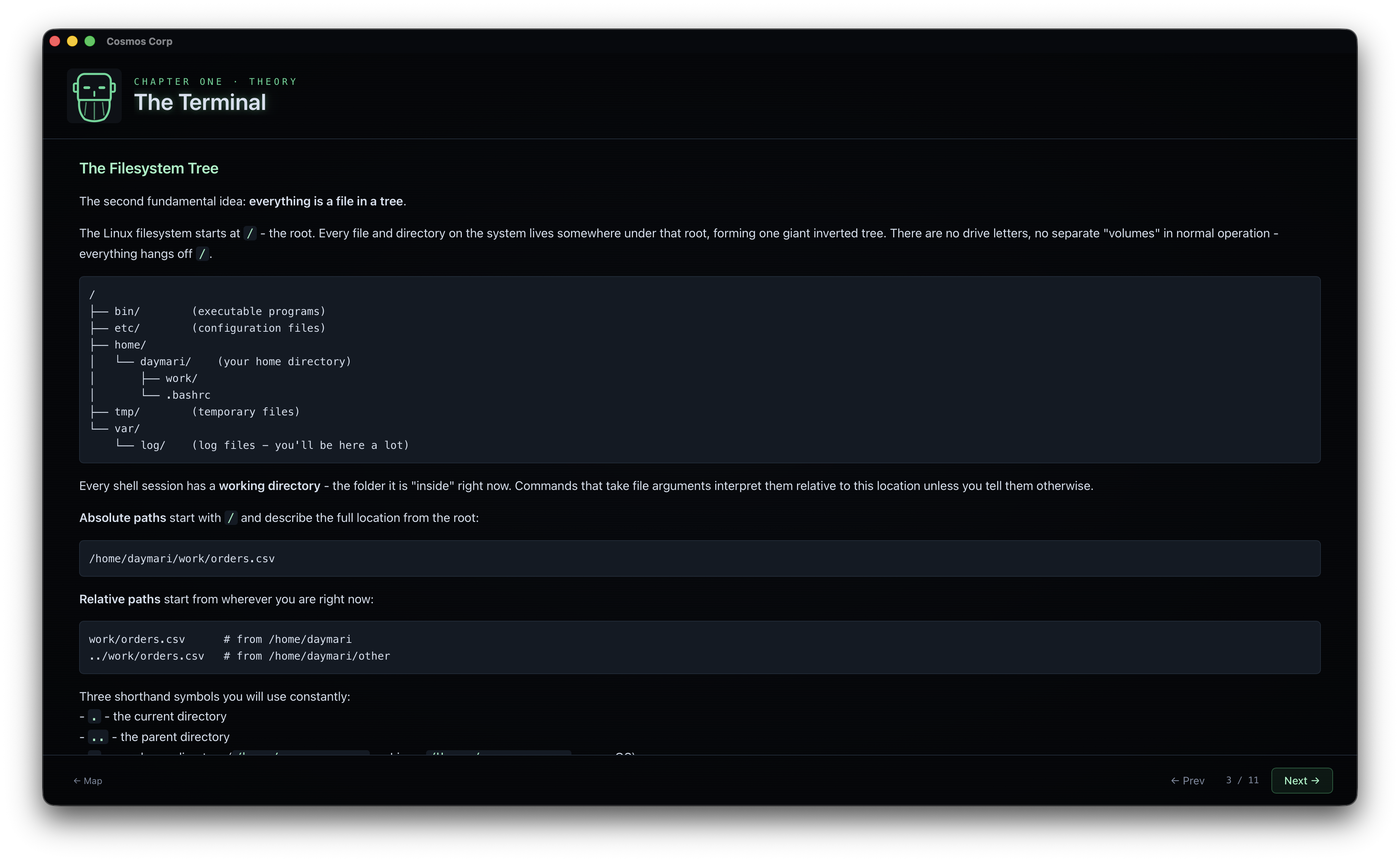 The chapter’s theory course, re-readable any time. Sage’s avatar watches from the top left.
Content as data
Last brick, invisible but decisive for iterating: none of this is hard-coded. A mission is a folder with a mission.yaml, a dialogue.md, an outro.md, and two shell scripts, setup.sh to stage the scene and check.sh to validate. Adding or fixing a mission doesn’t require rebuilding the app, just editing text files. It makes the game open to contributions and, honestly, it makes writing new missions almost enjoyable.
Try it
Cosmos Corp: Day One is a macOS app, built with Tauri, MIT-licensed, packaged as a .dmg through a GitHub Actions pipeline. You need Docker running, and on first launch you name yourself, pick a role, get your Cosmos Corp ID badge, and your first day begins.
The repo is here: github.com/gothub97/cosmos-corp.
There are more chapters to write and more tools to add to the path, and the project is wide open to contributions: infra, data, frontend, teaching content or any other technical scope, there’s plenty to dig into. The foundation itself is already down: a place where you can break real things without consequence.
Lead internal product & AI engineer at Flowdesk. I build with Claude Code daily and write about it here.
Keep reading

The model is no longer the bottleneck. We are.
Felix Rieseberg, at Anthropic, lays out a method for being more ambitious with models: altitude, depth, range. I break it down, test it against the studies that push back on it, and try it on FinOps Terminal, a project built in four days.
 Featured
 Give your AI agents a CLI, not an MCP server
Why a CLI generated from an OpenAPI spec costs less context than an MCP server, what Claude Code changed in 2026, and spec2cli, a small open source tool that turns any API into a CLI.